
Beveiliging WordPress site: voorkom hacks met deze strategieën
Securing your WordPress site requires more than strong passwords and a security plugin. Essential steps include two-factor authentication, consistent updates, secure hosting, and a web application firewall. These defenses block the vast majority of attacks targeting WordPress.
Every day, hackers compromise thousands of websites across the globe. WordPress powers roughly 43% of all websites online, making it the most profitable target for cybercriminals seeking to steal resources, inject malware, or build botnets. You might think your small blog or business site isn’t attractive enough to matter. That’s the mistake many site owners make. Attackers don’t care about your content. They care about your server space.
This guide is written for WordPress site owners who want to protect their installation without becoming a security expert. You’ll find concrete steps to take today, plus a long-term security strategy that keeps your site safe. A compromised website costs you far more than the time to prevent it. Recovery can run hundreds or thousands of dollars, not to mention lost trust and damaged search rankings.
The Real WordPress Security Landscape
WordPress runs on such a massive scale that the average WordPress site faces attack approximately every 34 minutes. These aren’t targeted strikes. They’re automated scans by bots looking for any weak point they can exploit.
What matters is how these attacks work. Hackers deploy automated tools that scan thousands of sites per hour for known vulnerabilities. They aren’t after you specifically—they’re casting the widest net possible. A hacked WordPress site becomes a tool. It hosts phishing pages, distributes malware, mines cryptocurrency, or joins a botnet for spam campaigns. Your visitors see your site slow down or get flagged by their browser.
In 2024, plugin vulnerabilities accounted for 96% of all WordPress security flaws, with the remaining 4% in themes. WordPress core itself stays relatively secure. The issue is the ecosystem. Since anyone can publish a plugin, quality varies wildly. Thousands of plugins never receive security updates. Some developers abandon their work entirely.
Here’s what worries site owners most: exploits launch within 5 hours of a vulnerability being publicly disclosed. This narrow window means waiting even a day to patch is risky. Your site can be compromised before you know a flaw exists.
Why Default WordPress Isn’t Enough
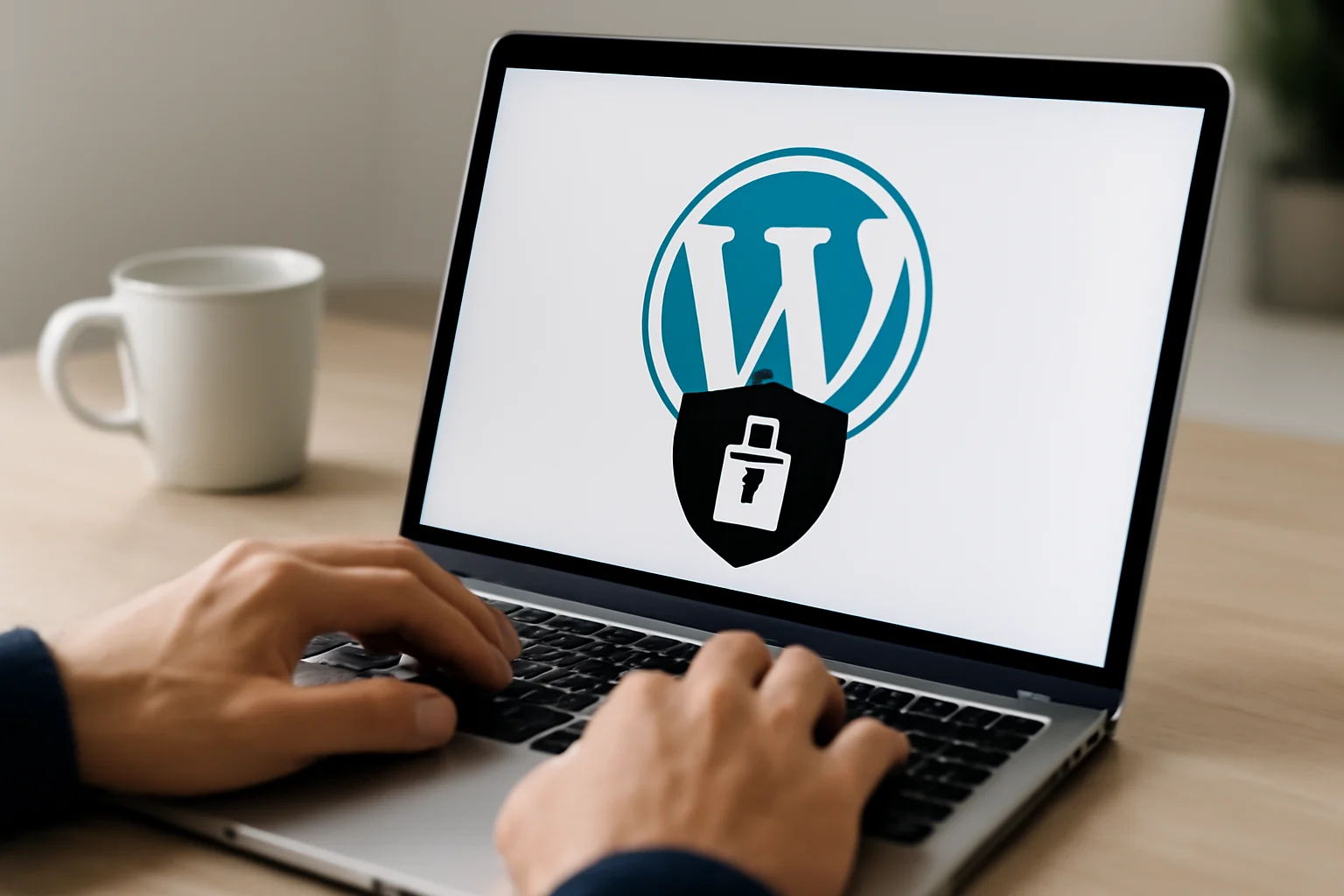
WordPress prioritizes ease of use over security by default. The software comes with minimal built-in protections. This isn’t a flaw—it’s a design choice that keeps WordPress accessible to beginners. But it means you must add security yourself.
The architecture creates risks. Plugins have direct database access and can execute arbitrary code. One vulnerable plugin compromises everything, regardless of how well you’ve protected the rest of your site. Worse, most popular plugins are maintained by hobbyists who don’t run security audits. Your WordPress version, installed plugins, and theme details are visible in the page source code. Hackers use this data to launch targeted attacks the moment a vulnerability appears in your specific version.
Default user roles grant too much permission. A standard Editor account can install plugins and modify site settings—far more access than needed to write posts. When accounts get compromised, attackers inherit all those privileges.
How a WordPress Hack Actually Unfolds
Most site owners never see the hack coming until it’s too late. Here’s the typical progression:
Phase One: Reconnaissance. Automated tools scan your site, catalog your WordPress version, detect plugins, and identify known vulnerabilities. This scanning is subtle. You won’t spot it in your access logs.
Phase Two: Gaining Access. Attackers exploit the weakest entry point. This might be a vulnerability in an outdated plugin, brute force attacks on your login, or SQL injection via a contact form. Modern attackers use rotating IP addresses and slow requests to evade detection.
Phase Three: The Damage. Once inside, attackers install backdoors—hidden scripts that guarantee access even if you “fix” the original problem. They inject malware into existing files, making detection harder. They create fake admin accounts, change passwords, and establish permanent footholds.
Phase Four: Monetization. Your site becomes a revenue generator. Attackers run phishing campaigns, sell access to other criminals, mine cryptocurrency using your server, or incorporate your site into a botnet. Meanwhile, your website appears to function normally. Most owners don’t realize they’re hacked until their hosting provider notices abuse and shuts them down. Professional cleanup costs between €500 and €2,000, plus lost income during downtime.
The Security Essentials That Actually Work
Start here. These steps block 80% of automated attacks and take an afternoon to implement.
- Change your login URL from the default. WordPress uses /wp-admin and /wp-login.php by default. Every hacker knows this. Plugins like WPS Hide Login or Custom Login URL redirect these standard paths to something unique. You eliminate an entire category of brute force attempts.
- Enable two-factor authentication for all admin accounts. This means attackers need your password AND access to your phone or authenticator app. Google Authenticator or Authy are free options that take 5 minutes to set up. Two-factor authentication blocks 99.9% of unauthorized login attempts, even with a stolen password.
- Disable XML-RPC if you don’t actively use it. This legacy feature allows hundreds of password guesses per request, enabling massive brute force attacks. Add this single line to your functions.php:
add_filter('xmlrpc_enabled', '__return_false'); - Change your database prefix from the default wp_. Automated SQL injection attacks assume standard table names. By changing the prefix to something like xyz47_, you break scripts that target wp_users and wp_posts directly. Hackers must work manually—something they rarely do for opportunistic attacks.
- Limit login attempts to 3 per IP per hour. After 3 failed tries, that IP gets blocked temporarily. This makes brute force attacks impractical without affecting legitimate users who occasionally mistype their passwords.
Plugin Security: Your Biggest Vulnerability
Plugins are responsible for 96% of WordPress vulnerabilities. The good news: you control this risk.
Install only plugins from trusted developers with a track record. Check the last update date. Plugins that haven’t been updated in 6 months are often abandoned and vulnerable. Look at active installations. Plugins with fewer than 1,000 users receive less security scrutiny.
Deactivate and delete unused plugins immediately. A deactivated plugin can still be attacked if files remain on your server. Monthly audits should identify what you actually need versus what you installed and forgot about.
Update plugins within 24 hours of a security patch. Subscribe to feeds from Wordfence or WPScan to get alerts about critical vulnerabilities. Many hackers begin mass exploitation within hours of a patch announcement. Waiting is gambling.
Use staging environments before pushing plugin updates to your live site. Sometimes updates break functionality or conflict with other plugins. Test first, deploy second.
Hosting Matters More Than You Think
Your hosting provider sets the baseline security. Cheap shared hosting can cost you dearly through security incidents. Managed WordPress hosting providers build in security features by default.
Choose hosts that offer Web Application Firewalls (WAF), DDoS protection, malware scanning, and automated backups. Providers like WP Engine, Kinsta, and SiteGround handle server-level security so you focus on WordPress. A WAF blocks attacks before they reach your installation.
Ask your host about patch management. Server-level security matters as much as WordPress security. Outdated PHP versions, unpatched MySQL, or vulnerable Apache modules compromise your site regardless of WordPress hardening.
Add a Content Delivery Network with security features. Cloudflare’s free tier includes DDoS protection and a basic firewall. Paid plans add advanced threat detection. Your traffic gets filtered before hitting your server.
Use HTTPS everywhere. Google marks HTTP sites as “not secure” and penalizes them in search rankings. Enable automatic HTTP-to-HTTPS redirects. Most hosts offer free SSL via Let’s Encrypt.
Advanced Hardening for Experienced Users
Once the basics are solid, consider these defenses that rival enterprise-level protection.
Deploy file integrity monitoring. Tools like Wordfence Premium scan your core files daily and alert you when they change. Hackers modify wp-config.php and .htaccess to maintain access. Detection catches this.
Create a restricted database user with minimal permissions. Most WordPress installations use a database account with full privileges. Create a separate user that can only SELECT, INSERT, UPDATE, and DELETE on WordPress tables. This limits damage if your database gets compromised.
Whitelist IP addresses for admin access if you work from fixed locations. Only allow wp-admin logins from your office IP. For remote work, combine this with VPN access—only traffic through your company VPN gets admin permissions.
Deploy security headers via .htaccess. Headers like X-Frame-Options, X-XSS-Protection, and Content-Security-Policy tell browsers to block suspicious content. They protect visitors against cross-site scripting and clickjacking attacks that use your site as a launching point.
Isolate user uploads to a separate domain. WordPress lets visitors upload files. Separate this wp-content onto a different domain so malicious uploads can’t compromise your main site. This requires custom configuration but adds significant protection for content-heavy sites.
Monitoring and Incident Response
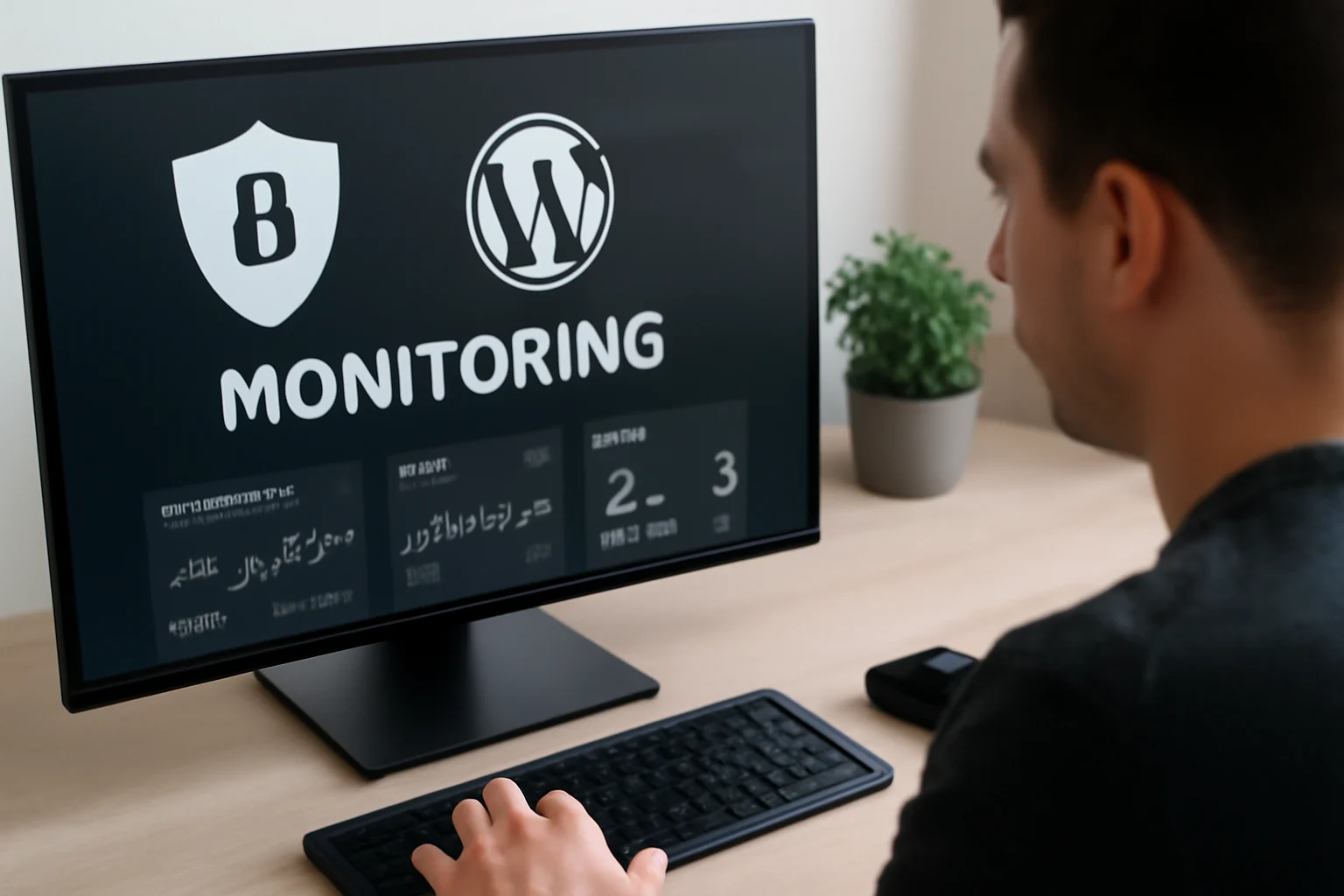
Proactive monitoring catches hacks before they spread. Most compromises go undetected for months.
Install a comprehensive security plugin like Wordfence Premium or Sucuri Security. These monitor file changes, login activity, and malware signatures 24/7. Alerts happen in real time when threats appear.
Watch Google Search Console for malware warnings. Google scans billions of pages daily and detects malware often before site owners do. Console alerts give you early warning.
Review access logs monthly for suspicious patterns. Watch for failed login attempts from the same IP, requests to non-existent PHP files (a common exploitation technique), and unusual traffic spikes to wp-admin. These patterns indicate reconnaissance or active attacks.
Write an incident response plan before disaster strikes. Document steps for taking your site offline, restoring from backups, contacting hosting providers, and starting forensic investigation. During a crisis, you won’t have time to figure this out. Speed matters—every hour a hacker stays inside is another hour they can steal data or spread damage.
Drill your incident response quarterly with simulated breaches. Security measures work in theory but fail under stress. Regular practice identifies weak points and improves your response time. Timing is everything.
Backup Strategy: Your Insurance Policy
Backups are your last line of defense, but only if configured correctly. Most WordPress backup plugins make critical mistakes that render backups useless during crises.
Follow the 3-2-1 rule: keep 3 copies of your data, on 2 different types of media, with 1 offsite. For WordPress this means local backups, cloud storage like Google Drive or Dropbox, and a dedicated service like Amazon S3. If your hosting gets breached, external backups stay safe.
Separate file backups from database backups. They have different needs. Database backups should run daily since they contain your content. Files can back up weekly since WordPress core rarely changes. Plugins like UpdraftPlus let you set different schedules.
Test restoration quarterly on a staging server. A backup is worthless if you can’t restore it. Many site owners discover mid-crisis that their backups are corrupt or incompatible with their current setup. Regular testing prevents this nightmare.
Encrypt backups before they leave your server. Cloud providers can be hacked or served legal notices. Encrypted backups are useless without your encryption key. Services like WP Engine and Kinsta handle this automatically, but most plugins require manual setup.
Keep backups for 60 days. Too short and you miss dormant malware that activates later. Too long and storage costs balloon. Sixty days balances protection with affordability for most sites.
Multisite Networks: Extra Complexity, Extra Caution
WordPress multisite deployments have unique risks. One compromised subsite can infect the entire network.
Restrict plugin installation to network admins only. Subsites can activate plugins from an approved list, but can’t install new ones. A malicious plugin on one subsite gains database access to all subsites. Central control prevents cross-contamination.
Isolate high-risk subsites on separate databases if budget allows. Subsites that accept user uploads or integrate third-party services pose extra risk. Separate databases limit breach impact to that specific site.
Scan file uploads aggressively. Users upload files through images and media libraries. Implement server-side malware scanning for every upload. Restrict allowed file types to essentials. Consider disabling uploads on subsites that don’t need them.
Use network-wide security plugins with multisite features. iThemes Security Pro manages security across all subsites centrally. Consistent settings across the network close security gaps that subsite customization creates.
Performance vs. Security Trade-Offs
Heavy security measures slow websites down, but smart implementation minimizes this impact.
WAFs add 50-200ms latency, but modern CDN-based firewalls cache decisions on edge servers. Subsequent requests are actually faster than without a WAF.
Schedule malware scans during low-traffic hours (usually 2-5 AM). Use incremental scanning that only checks changed files. This cuts CPU usage 80% compared to full scans.
Real-time blocking can create database bottlenecks if misconfigured. Cache security rules in memory and log threats sparingly. Excessive logging can overload your database.
Implement step-up authentication. Regular admin tasks use normal login. Critical operations like plugin installation or user management require additional verification. This balances security with workflow efficiency.
Legal and Compliance Obligations
WordPress sites collecting personal data must comply with privacy law. Security breaches trigger legal obligations.
Collect only necessary data. WordPress logs IP addresses, user agents, and sessions by default. Configure privacy settings to limit retention to legal minimums.
Document your security measures for audits. Written procedures demonstrate due diligence. Include staff training records and assessment reports. This limits legal exposure if a breach occurs.
Use hosting with industry certifications. Healthcare sites need HIPAA-compliant hosting. Financial services need PCI DSS. Government sites often need FedRAMP. Standard shared hosting doesn’t meet these requirements. Specialized compliance hosting costs €200-500 per month but prevents legal problems.
GDPR requires breach notification to authorities within 72 hours of detection. Set up automatic alerts to your legal team within 24 hours of discovering a breach. Documentation matters for compliance investigations.
Start Today
WordPress security isn’t perfect, but it’s manageable. The fundamentals—two-factor authentication, regular updates, plugin management, and monitoring—block the vast majority of attacks.
This week, change your login URL, enable 2FA, and install a security plugin. These three steps take less than an hour and dramatically improve your security. From there, work through advanced techniques based on your risk tolerance and budget.
Perfect security doesn’t exist. The goal is risk management. Every security layer increases the cost and complexity for attackers. Most hackers move on to easier targets when basic defenses are in place. Investment in WordPress security costs less than hiring professionals to clean up a hacked site.
Frequently Asked Questions
What does professional WordPress security cost per month?
A complete security stack costs roughly €25–80 per month depending on site size. Premium security plugin (€8–15/month), managed hosting with WAF (€15–40/month), and backup service (€5–25/month) combine for enterprise-level protection. Most small business sites need €35–50 monthly.
Can WordPress security be fully automated?
Automatic updates cover 70% of maintenance, but manual oversight remains essential. Security patches sometimes break functionality, so they need review before deployment. Schedule 2–3 hours monthly for security review, even with full automation.
Are free security plugins sufficient?
Free plugins like Wordfence Free and iThemes Security provide baseline protection but miss real-time threat intelligence and advanced malware detection. Hobby sites may accept this trade-off. E-commerce and high-traffic sites need premium features.
What if my backup becomes corrupted during a hack?
Corrupt backups during a crisis are preventable through redundant storage and regular testing. Keep backups on local, cloud, and offsite locations. Test restoration quarterly. Professional recovery services cost €800–2,500 but can retrieve data from corrupted backups using forensic techniques.
How long does recovery take for a hacked WordPress site?
Manual cleanup takes 8–40 hours depending on infection severity and data size. Restoration from clean backups completes in 2–4 hours. Deep malware infections requiring database forensics can take weeks for complete remediation.
Can hackers return after I block their access?
Sophisticated attackers install multiple backdoors, so simply blocking access doesn’t eliminate them. Changing passwords or deactivating plugins leaves hidden scripts intact. Complete malware removal requires forensic scanning of all files and database entries for concealed code.
Aanbevolen voor jou

WordPress website maken beginners: stap-voor-stap gids
WordPress website maken voor beginners: complete handleiding 2026Je tikt al maandenlang plannen uit voor...
Lees meer+
Laravel maatwerk onderwijs: waarom 60% van de scholen faalt (en hoe het wél werkt)
Laravel maatwerk onderwijs: waarom 60% van de scholen faalt (en hoe het wél werkt)...
Lees meer+
Leverancier maatwerk applicatie selecteren: tips en criteria
Leverancier maatwerk applicatie selecteren: tips en criteria Het kiezen van de juiste leverancier voor...
Lees meer+
Laravel maatwerk financiële sector: voorkom €2,4M verlies
Laravel maatwerk financiële sector: voorkom €2,4M verlies Drie van de vijf banken kiezen voor...
Lees meer+
De vier beste WordPress templates van 2021
De vier beste WordPress templates van 2021 Hebt u ooit moeite gehad om een...
Lees meer+
Amazon Affiliate API problemen oplossen: veelvoorkomende fouten en oplossingen
Amazon Affiliate API problemen oplossen: veelvoorkomende fouten en oplossingen Volgens praktijkervaringen van developers loopt...
Lees meer+
WooCommerce belastingopties 2026: wanneer overstappen op automatisering?
WooCommerce belastingopties 2026: wanneer overstappen op automatisering? De keuze tussen handmatige belastingconfiguratie en geautomatiseerde...
Lees meer+
Veelgemaakte fouten affiliate websites: voorkom deze valkuilen
Veelgemaakte fouten bij het bouwen van affiliate websites Je steekt uren in het opzetten...
Lees meer+
Impact affiliate platform APIs: e-commerce verbeteren in 2026
Impact affiliate platform APIs: e-commerce verbeteren in 2026 het merendeel van alle e-commerce bedrijven...
Lees meer+
Maatwerk crm-systemen Laravel 2026: waarom 8/10 bedrijven de verkeerde keuze maken
Maatwerk crm-systemen Laravel 2026: waarom 8/10 bedrijven de verkeerde keuze maken Vorige maand klapte...
Lees meer+
Bybit affiliate platform API: verbeter je marketingstrategie in 2026
De impact van de Bybit affiliate platform API op jouw marketingstrategie Een affiliate campagne...
Lees meer+
Prijzen bepalen WooCommerce abonnementen zo kies je de winstgevendste strategie
Prijzen bepalen WooCommerce abonnementen zo kies je de winstgevendste strategie Prijzen bepalen voor WooCommerce...
Lees meer+
Maatwerk applicatie voordelen: waarom 73% van bedrijven de verkeerde keuze maakt
Maatwerk applicatie voordelen: waarom 73% van bedrijven de verkeerde keuze maaktJe betaalt €15.000 per...
Lees meer+
Verzendopties WooCommerce aanpassen: zo verhoog je klanttevredenheid en conversie
Verzendopties WooCommerce aanpassen: zo verhoog je klanttevredenheid en conversie Verzendopties personaliseren in WooCommerce betekent...
Lees meer+
WooCommerce payment gateway integratie stap-voor-stap zonder fouten
WooCommerce payment gateway integratie: stap-voor-stap WooCommerce payment gateway integratie stap-voor-stap zonder fouten Je webshop...
Lees meer+
Wanneer je moet overstappen naar een abonnementenmodel met WooCommerce: 5 signalen voor succes
Wanneer je moet overstappen naar een abonnementenmodel met WooCommerce: 5 signalen voor succes Wanneer...
Lees meer+
3 Redenen om uw WordPress website naar een nieuwe host te migreren
3 Redenen om uw WordPress website naar een nieuwe host te migreren WordPress is...
Lees meer+
3 Kritische Data Protectie Punten die u Moet Toepassen Op Uw WordPress Website
3 Kritische Data Protectie Punten die u Moet Toepassen Op Uw WordPress Website Uw...
Lees meer+
Ontwikkelaar kiezen maatwerk applicatie: gids voor de juiste keuze
Ontwikkelaar kiezen maatwerk applicatie: gids voor de juiste keuze Ontwikkelaar kiezen maatwerk applicatie is...
Lees meer+
AI backend ontwikkeling automatisering 2026: zo bespaar je 40% tijd en kosten
AI backend ontwikkeling automatisering 2026: zo bespaar je 40% tijd en kostenDe meeste ontwikkelteams...
Lees meer+
Wat kan ik zelf doen aan SEO voor mijn WordPress website?
Wat kan ik zelf doen aan SEO voor mijn WordPress website? Stel je voor...
Lees meer+
WooCommerce personalisatie: strategieën die omzet verbeteren
WooCommerce personalisatie: gemiste kansen De meeste webshop-eigenaren denken dat personalisatie alleen weggelegd is voor...
Lees meer+
Amazon Affiliate API Python: integratie, script & voorbeeld
Integratie van de Amazon Affiliate API met Python Je affiliate website draait lekker, maar...
Lees meer+
WooCommerce ontwikkeling 2026: verbeter je webshop performance en schaalbaarheid
Alles wat je moet weten over professionele woocommerce ontwikkeling in 2026 €50.000 per maand...
Lees meer+
Laravel maatwerkprojecten handleiding 2026: waarom 80% faalt (en hoe jij wel slaagt)
Laravel maatwerkprojecten handleiding 2026: waarom 80% faalt (en hoe jij wel slaagt) Drie maanden...
Lees meer+
WooCommerce internationale belastingen voorkom boetes en fouten
WooCommerce internationale belastingen 2024 WooCommerce internationale belastingen voorkom boetes en fouten WooCommerce biedt basisfuncties...
Lees meer+
Toekomst Amazon affiliate API: trends, ontwikkelingen & voorbereiding
De toekomst van de Amazon affiliate API en hoe je je kunt voorbereiden veel...
Lees meer+
WooCommerce koppelingen: essentiële integraties voor een succesvolle webshop
Essentiële woocommerce-koppelingen voor een succesvolle webshop Een gemiddelde webshop verliest €50.000 per jaar door...
Lees meer+
WordPress hosting opties vergelijken: kies de beste voor jouw website
WordPress hosting opties: wat is het beste voor jouw website? Je WordPress-site draait al...
Lees meer+
Amazon Affiliate API toegang: stap-voor-stap aanvragen en beheren
Amazon Affiliate API toegang: stap-voor-stap aanvragen en beheren Je affiliate website draait goed, maar...
Lees meer+
Maatwerk applicatie checklist voorkom valkuilen en bespaar kosten
Maatwerk applicatie checklist voorkom valkuilen en bespaar kosten Volgens onderzoek van [relevante organisatie] loopt...
Lees meer+
WooCommerce schaalbaarheid: verbeteren, testen en groeien
Hoe je schaalbaarheid bereikt met je WooCommerce-webshop De laatste Black Friday maakte één ding...
Lees meer+
AI webdevelopment checklist 2026: waarom 70% van teams faalt
AI webdevelopment checklist 2026: waarom 70% van teams faalt Driekwart van alle webdevelopment teams...
Lees meer+
Laravel maatwerkoplossingen kiezen: kosten, valkuilen & succes in 2026
Laravel maatwerkoplossingen: waarom 7 van de 10 bedrijven hun eerste poging verkeerd aanpakken Drie...
Lees meer+
Beste e-commerce plugins WordPress: vergelijken & kiezen
Vergelijking van de beste e-commerce plugins voor WordPress Je hebt een fantastisch product en...
Lees meer+
Maatwerk applicatieontwikkeling in 2026: waarom 70% van de projecten faalt (en hoe jij het wél goed doet)
Maatwerk applicatieontwikkeling in 2026: waarom 70% van de projecten faalt (en hoe jij het...
Lees meer+
On-page SEO WooCommerce zo optimaliseer je productpagina’s voor meer omzet
On-page SEO WooCommerce 2024: zo optimaliseer je productpagina's voor meer omzet On-page SEO WooCommerce...
Lees meer+
De beste manieren om verzendkosten in WooCommerce te berekenen
De beste manieren om verzendkosten in WooCommerce te berekenen Verzendkosten in WooCommerce berekenen kan...
Lees meer+
Affiliate website laten maken: wat zijn de voordelen?
Affiliate website laten maken: wat zijn de voordelen? Je scrolt door populaire blogs en...
Lees meer+
Affiliate webdevelopment 2026: technische trends & optimalisaties
De technische kant van affiliate webdevelopment in 2026 €2.5 miljard — dat bedrag stroomde...
Lees meer+
Contentstrategie affiliate website: verbeteren, plannen & meten
Contentstrategieën voor affiliate marketing websites Je werkt wekenlang aan een nieuwe blogpost, maar de...
Lees meer+
WooCommerce derde partij verzendoptie 2026: zo bespaar je tot €400 per maand
WooCommerce derde partij verzendoptie 2026: zo bespaar je tot €400 per maand Een externe...
Lees meer+
AI SEO optimalisatie 2026: waarom 70% van marketeers de verkeerde tools gebruikt
AI SEO optimalisatie 2026: waarom 70% van marketeers de verkeerde tools gebruikt De meeste...
Lees meer+
WooCommerce performance optimalisatie: verbeter je webshop snelheid
De ultieme gids voor WooCommerce performance optimalisatie Je WooCommerce webshop laadt traag en verliest...
Lees meer+
WooCommerce abonnementenwinkel opzetten: stappenplan & tips
WooCommerce abonnementenwinkel opzetten: stappenplan & tipsVeel ondernemers denken dat een abonnementenwinkel opzetten vooral draait...
Lees meer+
Walmart affiliate platform API: integratie, functies & tips
Walmart affiliate platform API: integratie, functies & tips Wist je dat sommige Walmart affiliates...
Lees meer+
WooCommerce conversie optimalisatie: omzet verhogen
WooCommerce conversie-optimalisatie: verhoog je omzet in 2026 Je WooCommerce webshop genereert maandelijks 10.000 bezoekers,...
Lees meer+
Problemen affiliate platform APIs oplossen: praktische tips
Problemen affiliate platform APIs oplossen: praktische tips Je API-integratie draait perfect in de testomgeving,...
Lees meer+
Vergelijking: WooCommerce abonnement vs membership in 2026
Vergelijking: WooCommerce abonnement vs membership in 2026 De keuze tussen een WooCommerce abonnement en...
Lees meer+
Laravel maatwerk excel 2024: voorkom €5.000 verspilling met deze aanpak
Laravel maatwerk excel 2024: voorkom €5.000 verspilling met deze aanpak het merendeel van de...
Lees meer+
WooCommerce thema personaliseren met CSS: 7 fouten die je moet vermijden (2026)
WooCommerce thema personaliseren met CSS: 7 fouten die je moet vermijden (2026) Je hebt...
Lees meer+
WooCommerce belastinginstellingen checklist voorkom dure fouten (stap-voor-stap)
WooCommerce belastinginstellingen checklist: stop met geld weggooien aan fouten WooCommerce belastinginstellingen checklist voorkom dure...
Lees meer+
SEO tips WordPress: verbeter je ranking in 2026
SEO tips WordPress: verbeter je ranking in 2026 Elke dag lanceren er duizenden nieuwe...
Lees meer+
WordPress multisite inschakelen: stappenplan & netwerkbeheer
Hoe je multisite functionaliteiten in WordPress inschakelt Je beheert drie verschillende WordPress-sites: één voor...
Lees meer+
WooCommerce voorraadbeheer strategieën en tools
WooCommerce voorraadbeheer 2026: strategieën en tools het merendeel van alle online winkels met meer...
Lees meer+
Maatwerk WooCommerce plugins: ontwikkelen voor je webshop
Maatwerk WooCommerce plugins: ontwikkelen voor je webshop Je webshop draait prima, maar er ontbreekt...
Lees meer+
Maatwerk applicatie ontwikkelingsproces: 5 cruciale stappen voor succes
Maatwerk applicatie ontwikkelingsproces: 5 cruciale stappen voor succes 8 van de 10 maatwerk applicatieprojecten...
Lees meer+
WooCommerce abonnementen marketingstrategieën zo verhoog je klantbehoud en omzet
WooCommerce abonnementen marketingstrategieën 2024: klantbehoud en omzet verhogen WooCommerce abonnementen marketingstrategieën zo verhoog je...
Lees meer+
Laravel maatwerk transport 2026: zo bespaar je 40% op operationele kosten
Laravel maatwerk transport 2026: zo bespaar je 40% op operationele kosten Vorige week failleerde...
Lees meer+
Wat zijn laravel maatwerkoplossingen? Waarom 70% van bedrijven faalt (en hoe jij het voorkomt)
Wat zijn laravel maatwerkoplossingen? Waarom 70% van bedrijven faalt (en hoe jij het voorkomt)...
Lees meer+
Affiliate platform API vergelijking: kies de beste API voor jouw bedrijf
Affiliate platform API's vergelijken: welke past bij jouw bedrijf? Vier van de vijf developers...
Lees meer+
Amazon affiliate API fouten vermijden: test en verbeter je integratie
Veelvoorkomende fouten bij het gebruik van de Amazon Affiliate API en hoe ze te...
Lees meer+
WooCommerce SEO optimalisatie: verbeter je webshop ranking
Waarom het merendeel van de WooCommerce-winkels SEO-mogelijkheden laat liggen Je WooCommerce-webshop draait, producten zijn...
Lees meer+
Laravel maatwerk e-commerce 2024: zo bespaar je €26.400 per jaar
Laravel maatwerk e-commerce 2024: zo bespaar je €26.400 per jaar Twee jaar na de...
Lees meer+
CJ affiliate platform API: functies, voordelen & integratie
CJ affiliate platform API: functies, voordelen & integratie 800.000 transacties per dag: zo veel...
Lees meer+
Maatwerk applicatie vs kant-en-klaar: een gedetailleerde vergelijking
Maatwerk applicatie vs. kant-en-klare software: een vergelijking Stel je voor: je bedrijf groeit en...
Lees meer+
Linkbuilding 101
Linkbuilding 101 Linkbuilding is het proces van het verkrijgen van links naar uw website....
Lees meer+
Amazon Affiliate API integratie checklist: testen & implementeren
Amazon Affiliate API integratie checklist: testen & implementeren veel van alle affiliate marketers verliest...
Lees meer+
Amazon Affiliate API documentatie: handleiding & uitleg (2026)
Amazon Affiliate API documentatie: een uitgebreide gids het merendeel van alle Amazon affiliates gebruikt...
Lees meer+
Doelgroep affiliate website bepalen: stappenplan & analyse
De juiste doelgroep identificeren voor jouw affiliate website veel van de affiliate websites behaalt...
Lees meer+
Affiliate platform APIs: waarom 70% faalt (en hoe jij wél slaagt)
Affiliate platform APIs: waarom 70% faalt (en hoe jij wél slaagt) veel van alle...
Lees meer+
Toekomst maatwerk applicatieontwikkeling: trends en voorspellingen
Toekomst maatwerk applicatieontwikkeling: trends en voorspellingen 2026 Stel je voor: je bedrijf wil sneller...
Lees meer+
WordPress beveiligingstips: houd hackers buiten
WordPress beveiligingstips: hoe houd je hackers buiten Je WordPress-site staat online, bezoekers stromen binnen,...
Lees meer+
Niches en producten affiliate website: kiezen voor succes in 2026
Niches en producten kiezen voor je affiliate website veel van alle nieuwe affiliate websites...
Lees meer+
Beste WordPress themes kiezen: zo vind je het perfecte theme
Hoe kies je de beste WordPress themes voor jouw website Volgens recent onderzoek gebruikt...
Lees meer+
Backup plugins WordPress: vergelijken en kiezen voor optimale data beveiliging
De beste backup plugins voor WordPress om jouw data te beschermen het merendeel van...
Lees meer+
WooCommerce verzendinstellingen optimaliseren: minder winkelwagenverlating
Hoe je WooCommerce verzendinstellingen optimaliseert voor minder winkelwagenverlating Klanten vullen hun winkelwagen, navigeren naar...
Lees meer+
WooCommerce UX-Design verbeteren: praktische strategieën voor meer conversie
WooCommerce UX-Design: veelgemaakte fouten De meeste webshop-eigenaren investeren duizenden euro's in mooie designs en...
Lees meer+
Hoe je een succesvolle affiliate website bouwt
Hoe je een succesvolle affiliate website bouwt Je kiest een trendy niche, steekt honderden...
Lees meer+
WooCommerce integraties kiezen: zo stimuleer je webshop groei
Waarom 75% van WooCommerce webshops geld laat liggen met slechte integraties Veel ondernemers kiezen...
Lees meer+
WooCommerce prestatie optimalisatie 50% sneller in 6 weken
Hoe je de prestaties van je WooCommerce winkel met 50% kunt verbeteren in 2026...
Lees meer+
Geavanceerde WooCommerce analytics 2024: zo verdubbel je je omzet met data
Geavanceerde WooCommerce analytics 2024: zo verdubbel je je omzet met data het merendeel van...
Lees meer+
WooCommerce laadtijd verbeteren: zo maak je je webshop sneller
Waarom 65% van WooCommerce webshops geld verliest door trage laadtijden Je verliest elke seconde...
Lees meer+
Juiste affiliate platform API kiezen: complete vergelijking voor bedrijven
Juiste affiliate platform API kiezen: complete vergelijking voor bedrijven API-integraties die perfect werken in...
Lees meer+
AI in webdevelopment 2026: waarom traditionele aanpak je klanten kost
AI in webdevelopment 2026: waarom traditionele aanpak je klanten kost het merendeel van alle...
Lees meer+
WooCommerce verzendproces verbeteren: 10 praktische tips
WooCommerce verzendproces verbeteren: 10 praktische tips Een geoptimaliseerd WooCommerce verzendproces is cruciaal voor elke...
Lees meer+
WooCommerce belastingbeheer optimaliseren: internationaal verkopen zonder fouten
Waarom 70% van webwinkel-eigenaren teveel belasting betaalt door verkeerde WooCommerce instellingen De meeste online...
Lees meer+
WooCommerce thema’s vs aangepaste ontwerpen 2026: zo kies je de beste optie voor jouw webshop
WooCommerce thema's vs aangepaste ontwerpen 2026: zo kies je de beste optie voor jouw...
Lees meer+
3 Tips bij het ontwikkelen!
3 Tips bij het ontwikkelen van een custom WordPress thema! Als u op zoek...
Lees meer+
WooCommerce btw instellen zo voorkom je EU-boetes en fouten
WooCommerce btw instellen 2024: zo voorkom je EU-boetes en fouten WooCommerce btw instellen zo...
Lees meer+
Custom Post Types WordPress: Maken, Inrichten & Optimaliseren
Custom post types creëren in WordPress: een stap-voor-stap gids Je WordPress-dashboard kent standaard posts...
Lees meer+
PayPal vs Stripe WooCommerce 2026: welke payment gateway bespaart het meest?
PayPal vs Stripe WooCommerce 2024: welke payment gateway bespaart het meest? PayPal vs Stripe...
Lees meer+
Freelance Laravel programmeur inhuren 2024: voorkom deze dure fouten
Freelance Laravel programmeur inhuren 2024: voorkom deze dure fouten Vorige maand betaalde een klant...
Lees meer+
WooCommerce klantbehoudstrategieën 2026: zo verhoog je je omzet
WooCommerce klantbehoudstrategieën 2026: zo verhoog je je omzet Je hebt eindelijk traffic naar je...
Lees meer+
AI webdevelopment workflows 2026: waarom 80% van teams faalt (en hoe jij €5.000 bespaart)
AI webdevelopment workflows 2026: waarom 80% van teams faalt (en hoe jij €5.000 bespaart)...
Lees meer+
Shopee affiliate platform API integreren: stappenplan & tips
Shopee affiliate platform API integreren: stappenplan & tips Wist je dat een goed ingestelde...
Lees meer+
Affiliate platform API integratie: stappenplan voor je webshop
Hoe je een affiliate platform API integreert in je webshop veel van de webshops...
Lees meer+
De beste plugins voor een WooCommerce abonnementenwinkel
De beste plugins voor een WooCommerce abonnementenwinkel De beste plugins voor een WooCommerce abonnementenwinkel...
Lees meer+
Woocommerce verzendzones instellen: zo bespaar je €300+ per maand
Woocommerce verzendzones instellen: zo bespaar je €300+ per maand WooCommerce verzendzones zijn geografische gebieden...
Lees meer+
AI beveiliging webapplicaties 2026: waarom 85% van alle websites kwetsbaar blijft
AI beveiliging webapplicaties 2026: waarom 85% van alle websites kwetsbaar blijft Volgens onderzoek draait...
Lees meer+
Amazon Affiliate API conversies verhogen: praktische tips
Hoe je de Amazon Affiliate API kunt gebruiken om conversies te verhogen Gemiddeld verdient...
Lees meer+
Succesvolle maatwerk applicaties: case study
Succesvolle maatwerk applicaties: case study 2026 Een logistiek bedrijf dat in 2025 nog worstelde...
Lees meer+
AI-projectmanagement in webdevelopment 2026: zo voorkom je vertraging en stress
AI-projectmanagement in webdevelopment 2026: zo voorkom je vertraging en stress het merendeel van alle...
Lees meer+
Wist u al dat deze 6 merken ook WordPress gebruiken?
Wist u al dat deze 6 merken ook WordPress gebruiken? WordPress is zonder twijfel...
Lees meer+
Agile maatwerk applicatieontwikkeling: flexibiliteit, snelheid & praktijkvoorbeelden
Agile maatwerk applicatieontwikkeling: flexibiliteit, snelheid & praktijkvoorbeelden Stel je voor: de eisen van je...
Lees meer+
Content creatie affiliate website: effectieve strategieën & tips
Content creatie affiliate website: effectieve strategieën & tips 2026 Wist je dat slechts een...
Lees meer+
WooCommerce belastingplugins kosten wat betaal je écht?
WooCommerce belastingplugins kosten 2024: wat betaal je écht? WooCommerce belastingplugins kosten wat betaal je...
Lees meer+
Woocommerce onderhoud: checklist & beveiligingstips
Woocommerce onderhoud: checklist & beveiligingstips Je WooCommerce-webshop draait prima, maar je vraagt je af...
Lees meer+
Amazon Affiliate API Keys: Veilig aanmaken & beheren
Amazon Affiliate API Keys: Veilig aanmaken & beherenveel van alle affiliate marketers gebruikt de...
Lees meer+
WooCommerce checkout optimalisatie: verhoog conversie en omzet
De verborgen kosten van een slecht geoptimaliseerde checkout in je WooCommerce webshop het merendeel...
Lees meer+
AI klantenservice webdevelopment 2026: zo automatiseer je support en win je klanten
AI klantenservice webdevelopment 2026: zo automatiseer je support en win je klanten De meeste...
Lees meer+
AI efficiëntie webdevelopment in 2026: zo bespaar je 30% tijd
AI efficiëntie webdevelopment in 2026: zo bespaar je 30% tijd 80% van webdevelopers werkt...
Lees meer+
Platform affiliate website vergelijken: beste keuze & tips
Welk platform is het beste voor je affiliate website? Je wilt een affiliate website...
Lees meer+
Top 10 WooCommerce thema ontwerp tips voor professionals
Top 10 WooCommerce thema ontwerp tips voor professionalsErvaren webdesigners vallen te vaak in de...
Lees meer+
Kosten maatwerk applicatie: waarom 60% te veel betaalt
Kosten maatwerk applicatie: waarom 60% te veel betaalt Je bedrijf heeft €50.000 budget voor...
Lees meer+
Social media integratie WordPress: testen & optimaliseren
Integratie van social media op je WordPress site Je WordPress-site staat online, maar je...
Lees meer+
WordPress webdevelopment gids 2026: trends, tools & technieken
WordPress webdevelopment gids 2026: trends, tools & technieken Je hebt een geweldig idee voor...
Lees meer+
Affiliate website inkomsten maximaliseren: praktische strategieën en tips
Hoe je affiliate website inkomsten kunt maximaliseren Je hebt maandenlang gebouwd aan je affiliate...
Lees meer+
WooCommerce payment gateways kiezen: tot 30% transactiekosten besparen
Hoe je de juiste woocommerce payment gateway kiest om transactiekosten met 30% te verlagen...
Lees meer+
AI frontend ontwikkeling trends 2026: waarom teams achterblijven
AI frontend ontwikkeling trends 2026: waarom teams achterblijvenJe team besteedt nog steeds veel van...
Lees meer+
Laravel maatwerkoplossingen checklist: voorkom dure fouten in 2024
Laravel maatwerkoplossingen checklist: voorkom dure fouten in 2024Drie maanden na de lancering van hun...
Lees meer+
WooCommerce payment gateway veranderen: wanneer overstappen loont
WooCommerce betalingsgateway veranderen in 2024: wanneer overstappen loont WooCommerce payment gateway veranderen: wanneer overstappen...
Lees meer+
Amazon Affiliate API inkomsten maximaliseren: bewezen strategieën
Amazon Affiliate API inkomsten maximaliseren: bewezen strategieën De meeste affiliate marketers gebruiken nog steeds...
Lees meer+
AI tools webdevelopment 2026: welke tools maken écht het verschil?
AI tools webdevelopment 2026: welke tools maken écht het verschil? Volgens recente studies gebruikt...
Lees meer+
Waarom je woocommerce payment gateway keuze je omzet kan maken of breken
Waarom je WooCommerce payment gateway keuze je omzet kan maken of breken Waarom je...
Lees meer+
AI UX-design 2026: waarom de meeste teams achterblijven
AI UX-design 2026: waarom de meeste teams achterblijven 75% van webdesigners maakt dezelfde kritieke...
Lees meer+
WooCommerce mobiele optimalisatie: strategieën voor meer conversie
De verborgen kosten van slechte mobiele optimalisatie in je WooCommerce webshop Volgens onderzoek verliest...
Lees meer+
Beveiliging WordPress site: voorkom hacks met deze strategieën
Beveiliging WordPress site: voorkom hacks met deze strategieën Securing your WordPress site requires more...
Lees meer+
WordPress widgets gebruiken: beheer en optimaliseer je site
Hoe je WordPress widgets kunt gebruiken voor optimaal beheer Je WordPress-site is live en...
Lees meer+
Technische SEO WooCommerce zo optimaliseer je je webshop voor topposities
Technische SEO WooCommerce 2024: zo optimaliseer je je webshop voor topposities Technische SEO WooCommerce...
Lees meer+
WooCommerce abonnementen implementeren: stappenplan & tips
Waarom 73% van WooCommerce webshops abonnementen verkeerd implementeert (en €12.000+ per jaar misloopt) De...
Lees meer+
Toekomst affiliate platform APIs: trends, kansen & actiepunten 2026
Toekomst affiliate platform APIs: trends, kansen & actiepunten 2026 veel van alle affiliate marketing-integraties...
Lees meer+
AI personalisatie webcontent 2026: waarom 80% van websites hun potentieel verspilt
AI personalisatie webcontent 2026: waarom 80% van websites hun potentieel verspilt Je hebt een...
Lees meer+
Beste WooCommerce thema’s 2026: voorkom omzetverlies door verkeerde keuze
Beste WooCommerce thema's 2026: voorkom omzetverlies door verkeerde keuze het merendeel van de webshop...
Lees meer+
SEO strategieën affiliate website: testen en verbeteren in 2026
SEO strategieën voor affiliate websites die écht werken in 2026 Je affiliate website staat...
Lees meer+
7 redenen waarom jij WordPress moet gebruiken!
7 redenen waarom jij WordPress moet gebruiken! WordPress is ongetwijfeld een van de populairste...
Lees meer+
Beste betaalmethoden WooCommerce: voorkom omzetverlies met deze 5 gateways
Beste betaalmethoden WooCommerce: voorkom omzetverlies met deze gateways Beste betaalmethoden WooCommerce: voorkom omzetverlies met...
Lees meer+
Amazon affiliate API vs andere netwerken: vergelijking & keuzehulp
Amazon affiliate API vs andere netwerken: welke keuze past het beste? veel van alle...
Lees meer+
Laravel maatwerk gezondheidszorg: waarom 65% van ziekenhuizen faalt bij systeemkeuze
Laravel maatwerk gezondheidszorg: waarom 65% van ziekenhuizen faalt bij systeemkeuze Vorig jaar stopte het...
Lees meer+
Affiliate platform APIs klantbeleving: meten en verbeteren
Hoe affiliate platform APIs de klantbeleving verbeteren het merendeel van de online shoppers verwacht...
Lees meer+
Gebruikersfeedback maatwerk applicatie: verbeteren voor succes
Gebruikersfeedback maatwerk applicatie: waarom essentieel Stel je voor: je hebt maandenlang gewerkt aan een...
Lees meer+
Amazon Affiliate API gids voorkom €500+ verlies door deze fouten
Amazon Affiliate API gids voorkom €500+ verlies door deze fouten Drie op de vier...
Lees meer+
Amazon Affiliate API integratie best practices: optimaliseer je prestaties
De beste praktijken voor Amazon Affiliate API integratie Je affiliate website draait goed, maar...
Lees meer+
WooCommerce SEO: verbeter je zichtbaarheid in zoekmachines
WooCommerce SEO: verbeter je zichtbaarheid in zoekmachines het merendeel van alle e-commerce ondernemers onderschat...
Lees meer+
Affiliate website toekomstbestendig maken: strategieën
Hoe je je affiliate website toekomstbestendig maakt Wist je dat veel van alle affiliate...
Lees meer+
De drie funderingen voor een goed beveiligde WordPress website
De drie funderingen voor een goed beveiligde WordPress website Uit een recent onderzoek is...
Lees meer+
Data-analyse affiliate website: verbeter direct je prestaties
Data-analyse affiliate website: verbeter direct je prestaties Wist je dat kleine aanpassingen op basis...
Lees meer+
5 redenen waarom uw site altijd nóg beter kan
5 redenen waarom uw site altijd nóg beter kan Het idee dat een website...
Lees meer+
WooCommerce thema selectie gids voorkom deze dure beginnersfouten
WooCommerce thema selectie gids voorkom deze dure beginnersfouten Een goede WooCommerce thema selectie gids...
Lees meer+
Laravel maatwerk logistiek: zo bespaar je €180.000 per jaar
Laravel maatwerk logistiek: zo bespaar je €180.000 per jaar Vorige maand kroeg ik een...
Lees meer+
7 WordPress-plugins die onmisbaar zijn voor een WordPress site
7 WordPress-plugins die onmisbaar zijn voor een WordPress site WordPress is een krachtig, flexibel...
Lees meer+
Technologieën maatwerk applicatieontwikkeling waarom 40% van teams de verkeerde tools kiest
Technologieën maatwerk applicatieontwikkeling waarom 40% van teams de verkeerde tools kiest veel van alle...
Lees meer+
WooCommerce thema aanpassen: verhoog je conversie
Hoe je WooCommerce thema's kunt aanpassen voor maximale conversiesHoe je WooCommerce thema's kunt aanpassen...
Lees meer+
Technische checklist affiliate APIs: implementatie & integratie tips
Technische checklist voor het implementeren van affiliate platform APIs Wist je dat één fout...
Lees meer+
WooCommerce data-analyse: optimaliseer je webshop met data
Waarom 70% van WooCommerce webshops geld verliest door slechte data-analyse De meeste webshop-eigenaren volgen...
Lees meer+
Wat is Google Page Speed?
Wat is Google Page Speed? Google Paginasnelheid is een ranking factor waar Google naar...
Lees meer+